2. In the "Files" section, click on "Backup Wizard" Icon.

3. Under "Backup or Restore" text, click on the "Backup" button.
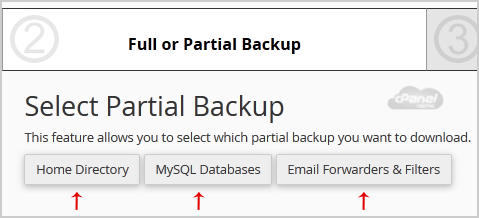
4. In the 2nd step "Full or Partial Backup" option, under "Select Partial Backup", you need to click on "Home Directory" to download home directory only or should you wish to download only "MySQL Databases", click on "MySQL Database".
5. Now click on the "Download" link/button.