How to Change Language of your cPanel?

Updated 2 months ago 19185 views
cPanel supports a lot of languages, and if you want to change your cPanel language to your native language, you should follow this tutorial.

1. Log into your cPanel account.
2. In the "Preferences" section, click on "Change Language" Icon.


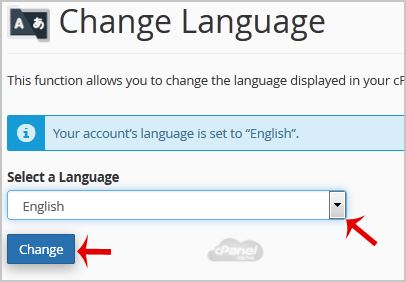
3. From the cPanel Language Configuration Page, chose your language from the dropdown menu and then click on the "Change" button.

Your cPanel language has been successfully changed.


Still need help?

If this article did not answer your question, our support team can help.

Contact support Browse all articles