2. In the "Databases" section, click on "MySQL Databases" Icon.

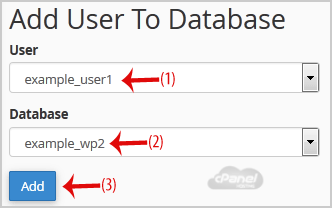
3. Scroll down to the end of the page and under "Add User to Database", select a user from the dropdown list, and then choose a Database from the list.
4. Click on the "Add" button.
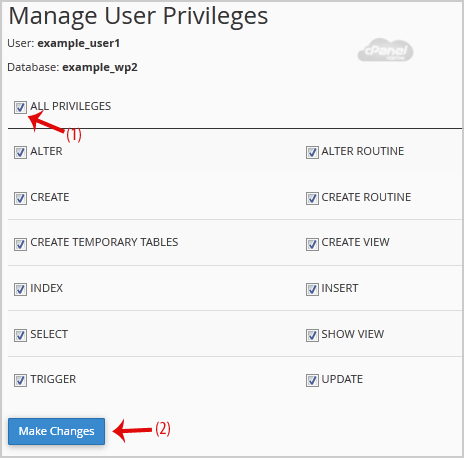
5. On "Manage User Privileges", mark the box "ALL PRIVILEGES" and click on "Make Changes".