2. In the "Databases" section, click on "MySQL Databases" Icon.

3. In "New Database: Username_" field enter a name for the new database you wish to create in the text field.
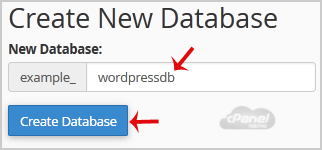
4. Click on the "Create Database" Button.

If this article did not answer your question, our support team can help.
Contact support Browse all articles