2. In the "Domains" section, click on "Redirects" Icon.

3. Scroll down to the end of page and under "Current Redirects" locate the domain and click on the "remove" icon.
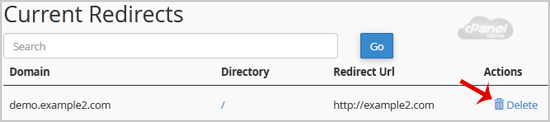
4. For confirmation click on the "Remove Redirect" button once more.

If this article did not answer your question, our support team can help.
Contact support Browse all articles