1. Log into your cPanel account.
2. In the "Files" section, click on "FTP Accounts" Icon.

3. Under the "FTP Accounts" list, click on "Change Quota".
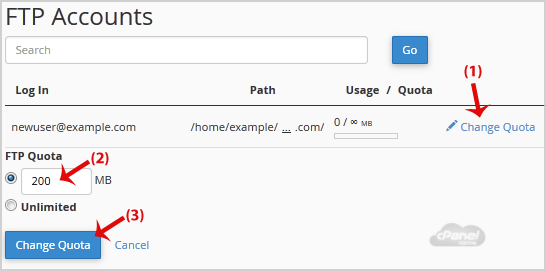
4. Click on the "Change Quota" button.
If this article did not answer your question, our support team can help.
Contact support Browse all articles