If you want to get rid of unwanted emails then you can enable this on all your emails or only on selected emails and you need to configure BoxTrapper.
1. Login to your cPanel Account,
2. In the "Email" section, click on "BoxTrapper" Icon.

3. From the BoxTrapper Page you can see a list of your emails under the "Account" tab and the status of BoxTrapper (enabled/disabled) under "Status" tab. Click on the "Manage" Link.
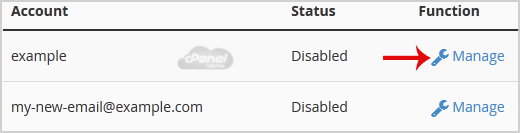
4. On the BoxTrapper Manage Page, if the current status is "Disabled", click on the "Enable" button.