1. Log into your SiteWorx account. (e.g. www.example.com:2443/siteworx/ )
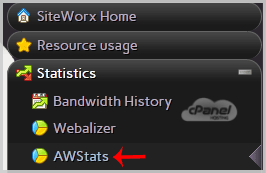
2. Under "SiteWorx Menu", click the "Statistics" menu item if it is not already open.
3. Click on the "AWStats" option.
4. If the current month is June, the year is 2015 and you want to see the current month's statistics, then click on the "June 2015" button under "Stats Type: Monthly".
