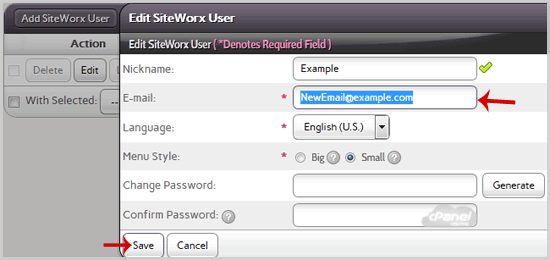
If you want to change your SiteWorx email Address then follow these steps.
1. Log into your SiteWorx account. (eg: www.example.com:2443/siteworx/ )
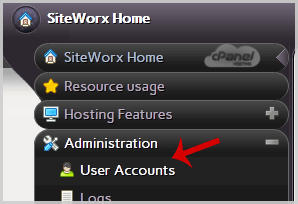
2. Under "SiteWorx User Management", click the "Administration" menu item if it is not already open.
3. Click on "User Accounts".
4. Under "Action" option, Click the "Edit" button.
5. In the "E-mail" field, Enter your new email address.
6. Click the "Save" button.