1. Login to your WordPress admin dashboard.
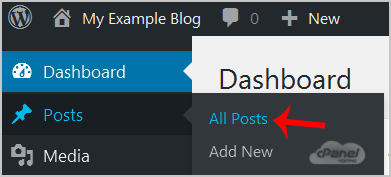
2. Under the dashboard menu, hover your mouse on Posts and then click on "All Posts".
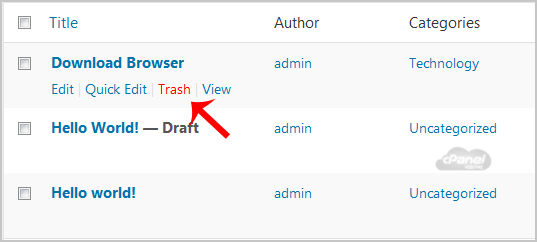
3. Choose the post you wish to remove and the "Trash" option will appear, Click on it.
You will get a success message like "1 post moved to the Trash".