2. In the "Databases" section, click on "phpMyAdmin" Icon.

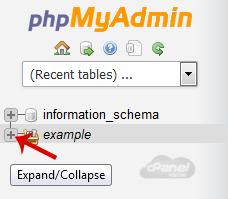
3. In left side-bar, Click on the expand button to expand database like "example".
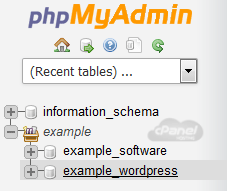
4. Under your cPanel username, you can see list of all databases. Select appropriate database which you want to repair.
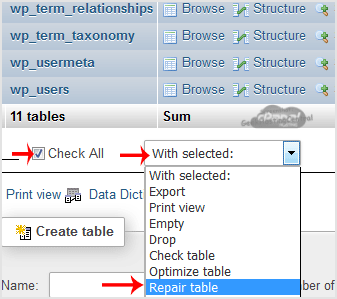
5. Scroll down and mark "Check All" then click on the Drop-down option and select "Repair table".
If table successfully repaired then it will show a "Ok" message otherwise it will show some error on few tables like "Error unknown engine" related errors.